
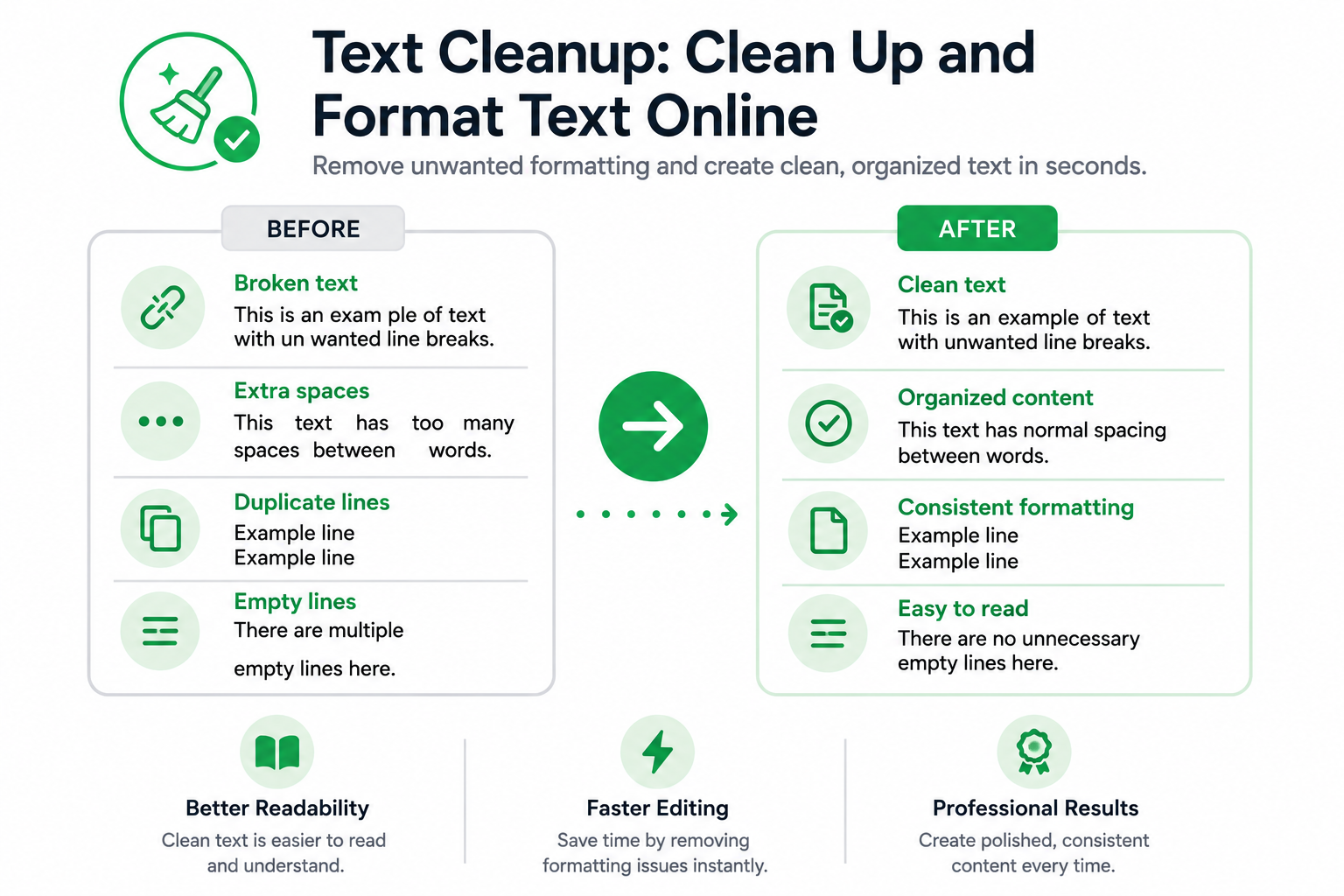
Copied text isn’t always ready to use. Content pasted from PDFs, emails, websites, spreadsheets, and documents often contains formatting problems that make it harder to read, edit, and publish. Extra spaces, unwanted line breaks, duplicate entries, and inconsistent formatting can quickly turn clean content into a mess.
Text cleanup is the process of removing formatting issues, correcting spacing problems, and organizing content to make it easier to read, edit, and reuse. Whether you’re preparing an article, report, email, product description, spreadsheet, or website content, cleaning up text can improve readability and save time during editing.
Common Text Formatting Problems
Many formatting issues appear when content is copied from one source and pasted into another.
Some of the most common problems include:
- Unwanted line breaks
- Extra spaces between words
- Empty lines throughout a document
- Duplicate entries in lists
- Inconsistent formatting
- Unsorted data and text lists
These issues can make content harder to read, edit, and share.
Common Cleanup Issues and Solutions
| Problem | Solution |
|---|---|
| Unwanted line breaks | Remove unnecessary line breaks |
| Blank lines between content | Remove empty lines |
| Multiple spaces between words | Remove extra spaces |
| Repeated entries in a list | Remove duplicate lines |
| Disorganized lists | Sort text alphabetically |
Identifying the formatting issue is often the first step toward creating cleaner and more organized content.
Why Text Cleanup Matters
Cleaning up text can improve both readability and productivity.
Benefits include:
- Easier editing and proofreading
- Better readability
- More professional-looking content
- Improved consistency across documents
- Faster publishing workflows
- Cleaner data for spreadsheets and reports
Even small formatting issues can become difficult to manage in larger documents.
How to Clean Up and Format Text Online
The exact cleanup process depends on the type of formatting issue you are dealing with.
Remove Unwanted Line Breaks
Content copied from PDFs and emails often contains line breaks in places where they are not needed. Our Remove Line Breaks tool can quickly convert fragmented text into continuous paragraphs.
Remove Empty Lines
Blank lines can make documents appear disorganized. The Remove Empty Lines tool helps eliminate unnecessary spacing while preserving the remaining content.
Remove Extra Spaces
Multiple spaces between words can affect readability and consistency. The Remove Extra Spaces tool helps create cleaner and more professional-looking text.
Remove Duplicate Entries
Large lists often contain repeated lines. The Duplicate Line Remover can help organize information and reduce clutter by keeping only unique entries.
Sort Text Alphabetically
After cleaning your content, the Text Sorter can organize names, keywords, URLs, tags, and other lists from A to Z or Z to A.
Common Sources of Formatting Problems
| Source | Typical Issue |
| PDF Files | Broken lines and irregular spacing |
| Emails | Extra line breaks and formatting artifacts |
| Websites | Inconsistent formatting after copying |
| Spreadsheets | Duplicate entries and spacing issues |
| Reports | Mixed formatting styles |
| Documents | Extra spaces and blank lines |
Understanding where formatting issues originate can help speed up the cleanup process.
Common Mistakes
Editing Everything Manually
Manual cleanup may work for short passages but becomes inefficient when working with larger amounts of content.
Ignoring Hidden Formatting Issues
Some formatting problems are not immediately visible and can affect the appearance of content after publication.
Removing Useful Structure
Not every line break or paragraph break should be removed. Preserving meaningful organization is important for readability.
Clean Up Text Instantly
If you regularly work with copied content from websites, PDFs, emails, reports, spreadsheets, or documents, specialized text cleanup tools can save time and improve consistency. Removing line breaks, empty lines, extra spaces, duplicate entries, and formatting issues helps create cleaner content that is easier to edit, organize, and publish.
FAQs
Text cleanup is the process of removing formatting issues and organizing content to improve readability, consistency, and usability.
Clean text is easier to read, edit, publish, and share. It also helps create a more professional appearance.
Formatting issues commonly occur when text is copied from PDFs, emails, websites, spreadsheets, and other documents.
Yes. Removing unnecessary spacing, line breaks, and duplicate content often makes text easier to read and understand.
Yes. Modern text cleanup tools can process large blocks of content much faster than manual editing.