
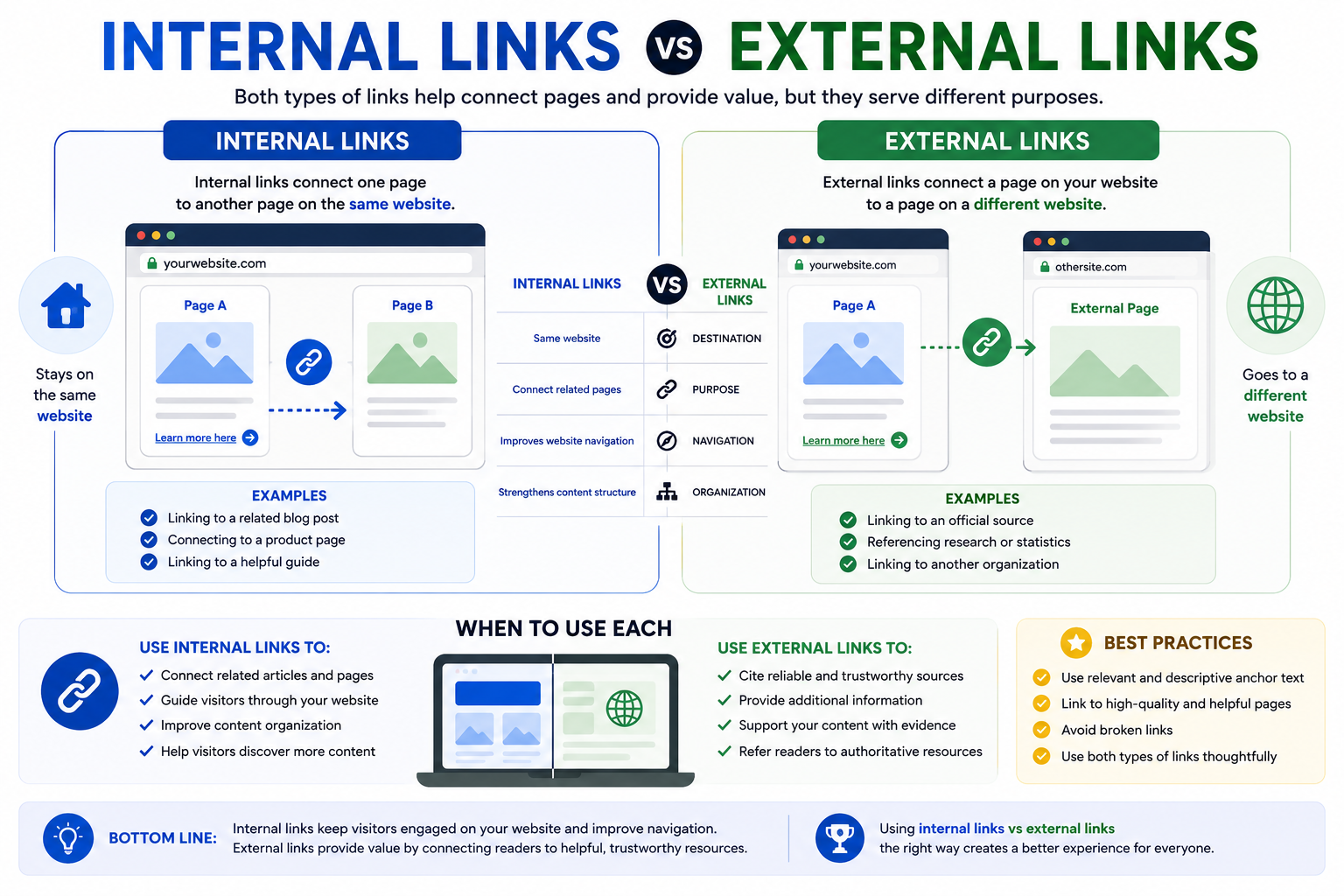
Internal links and external links both help connect web pages, but they serve different purposes. Understanding the difference can help website owners organize content more effectively and create a better experience for visitors.
Whether you’re managing a blog, business website, online store, or resource site, using both types of links appropriately can improve navigation and content discovery.
What Is an Internal Link?
An internal link connects one page on a website to another page on the same website.
Examples include:
- Linking a readability article to a paragraph structure guide.
- Connecting a URL structure guide to a URL slug article.
- Linking related blog posts together.
Internal links help visitors explore additional content without leaving the website.
Learn more in our guide: What Is an Internal Link?
What Is an External Link?
An external link points from your website to a page on a different website.
Examples include:
- Linking to an official documentation page.
- Referencing a trusted research source.
- Directing visitors to another organization’s website.
External links provide additional information beyond your own website.
Internal Links vs External Links
| Feature | Internal Links | External Links |
|---|---|---|
| Destination | Same website | Different website |
| Purpose | Connect related pages | Reference outside resources |
| Navigation | Improves website navigation | Expands available information |
| Organization | Strengthens content structure | Supports additional context |
Both types of links play important roles in creating a helpful website.
When Should You Use Each?
Internal links are useful for:
- Connecting related articles
- Guiding visitors through your website
- Improving content organization
External links are useful for:
- Citing reliable sources
- Providing additional information
- Referring readers to authoritative resources
Using both thoughtfully can create a better browsing experience.
Common Mistakes
Linking Unrelated Pages
Only link pages that provide relevant information.
Using Too Few Internal Links
Visitors may miss useful content if related pages are not connected.
Overusing External Links
Too many outgoing links can interrupt the reader’s experience.
Using Generic Link Text
Descriptive anchor text helps visitors understand where a link will lead.
Build Better Website Connections
Whether you’re publishing articles, tutorials, product pages, or resource guides, understanding internal links vs external links helps create a more organized website. Connecting related pages while referencing useful external resources can improve navigation and user experience.
FAQs
Internal links connect pages on the same website, while external links point to pages on different websites.
Use internal links to connect related content and external links when referencing helpful resources outside your website.
Yes. Internal links help visitors move between related pages more easily.
In most cases, linking to relevant pages helps visitors discover additional information naturally.
Yes. Linking to trustworthy resources can provide readers with additional context and supporting information.