
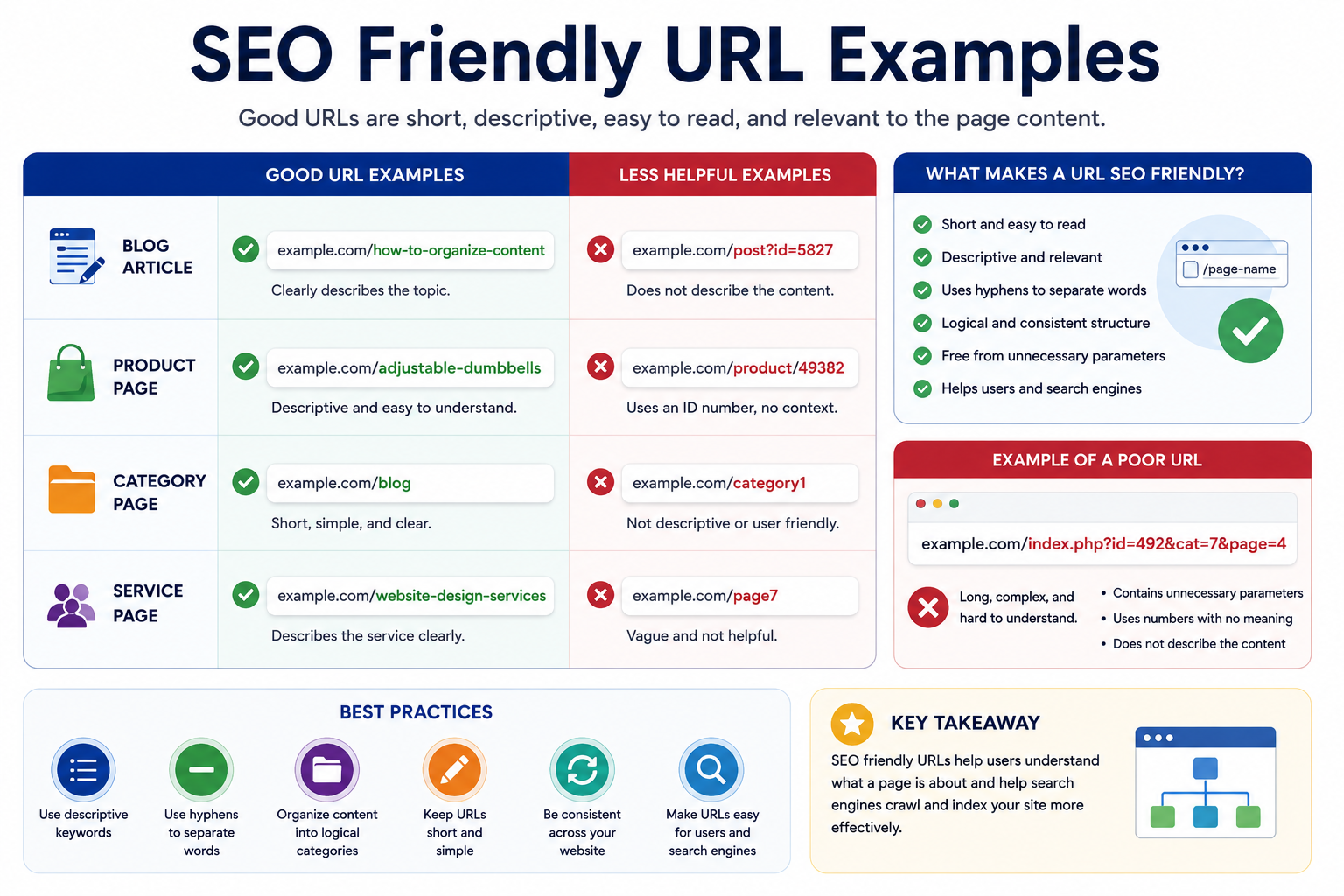
SEO friendly URLs help users and search engines understand what a page is about before it is opened. Clear and descriptive web addresses can improve navigation, organization, and usability across a website.
One of the easiest ways to understand good URL practices is by looking at examples.
What Makes a URL SEO Friendly?
Well-structured web addresses often share several characteristics.
SEO friendly URLs are typically:
- Short and descriptive
- Easy to read
- Relevant to the page topic
- Free from unnecessary characters
- Organized logically
- Consistent across the website
These characteristics help create URLs that are easier for users to understand and share.
Examples of SEO Friendly URLs
Blog Article
Good Example:
example.com/how-to-organize-contentLess Helpful Example:
example.com/post?id=5827The first example clearly communicates the page topic.
Product Page
Good Example:
example.com/adjustable-dumbbellsLess Helpful Example:
example.com/product/49382Descriptive words provide better context for visitors.
Category Page
Good Example:
example.com/blogLess Helpful Example:
example.com/category1Clear categories help organize content more effectively.
Service Page
Good Example:
example.com/website-design-servicesLess Helpful Example:
example.com/page7Visitors can immediately understand the purpose of the page.
Common Characteristics of Poor URLs
Some web addresses can be difficult for users to understand.
Examples include:
- Long strings of numbers
- Random characters
- Unnecessary parameters
- Vague descriptions
- Inconsistent structures
For example:
example.com/index.php?id=492&cat=7&page=4This type of URL provides little information about the page topic.
URL Examples and Website Organization
Clear web addresses can support website organization.
| Element | Example |
|---|---|
| Category | example.com/blog |
| Article | example.com/blog/seo-friendly-url-examples |
| Product | example.com/adjustable-dumbbells |
| Service | example.com/website-design-services |
Organized URLs can help users understand how content is grouped throughout a website.
Learn more in our guide: URL Structure Explained.
Common Mistakes
Using Generic Names
Names such as:
page1
post7
article2
provide little context.
Making URLs Too Long
Overly long addresses can become difficult to read and share.
Using Inconsistent Patterns
Different URL formats across a website may reduce consistency.
Ignoring Descriptive Words
Descriptive language often makes URLs easier to understand.
Learn more in our guide: SEO Friendly URLs Explained.
Create Clearer Web Addresses
Whether you’re managing a blog, business website, online store, or resource site, descriptive URLs can improve navigation and usability. Clear web addresses help visitors understand page topics and support a more organized website structure.
FAQs
Examples include descriptive web addresses such as:example.com/how-to-organize-content example.com/contact example.com/blog
Clear wording, logical organization, and descriptive page names often improve usability.
Descriptive words that accurately reflect the page topic can make URLs easier to understand.
In many cases, shorter and more descriptive web addresses are easier for users to read and share.
Yes. Studying examples can help website owners create more consistent and organized web address structures.